

Recently, we teach you the basic tutorial on how you can Make a Text Reflection in Phothoshop. Now, we bring you another tutorial which you can apply on your images or pictures to add a cool effect. This tutorial is good for beginners yet it’s worth to learn this effect. In this tutorial, you will learn on how to make your picture in some Zoom In Effect Look in Photoshop using standard tools. So to start with, follow the step by step procedure below.
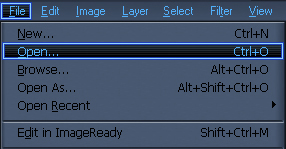
1.Open Your Picture by Choosing File>Open.
2.Choose Elliptical Marquee Tool(M) then circle the area you want to focus in.
Choose Edit in Quick Mask Mode (Q). you’ll come up with something like this.

3.Go to Filter>Blur>Gaussian Blur.
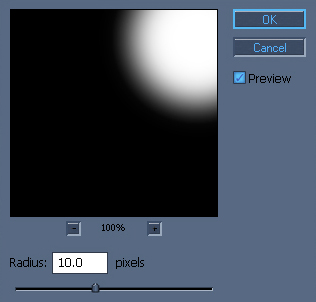
4. Choose Edit in Quick Mask Mode (Q). Go to Select>Inverse.
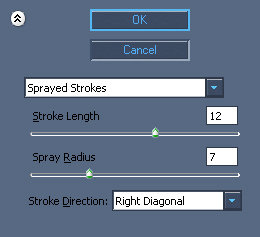
Then Filter>Brush Strokes>Sprayed Stokes.
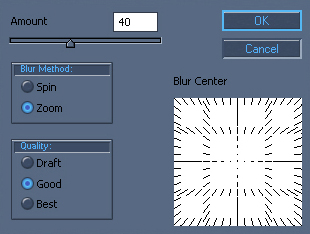
5. Go to Filter>Blur>Radial Blur.
6. you’ll come up with something like this.

Hope this simple photoshop tutorial help you.
If this post is helpful to you,Make sure to Subscribe my RSS feed.





HOLY COW 😮
thats a stunning effect
PURE AWESOME
Ohh wow cool man I am going to do this tip with my own picture
Hey man. you rock!
wow!
perfect man.
i tried to do this effect with pen tool and radial blur, but it was so easy 🙂